


AI Baby Generator: Face Maker
4.61.28K Reviews
App Specs
- Version
- 5.4.24
- Updated On
- License
- Free
- Downloads
- 10,000,000+
- Developer
- Wowoo AI Baby Generator: Face Maker
- Categories
- Photography
- Platform
- Android, iOS
Screenshots
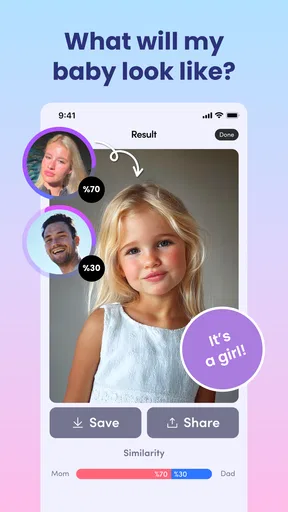
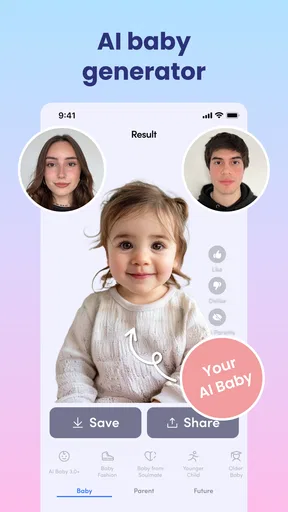
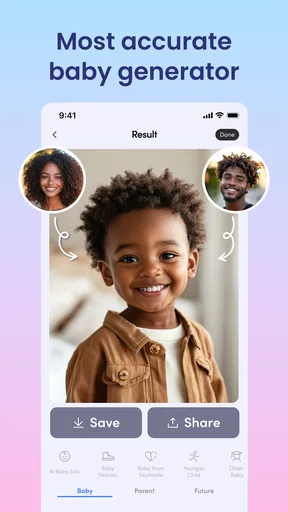
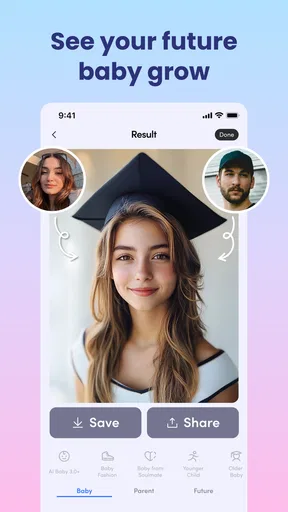
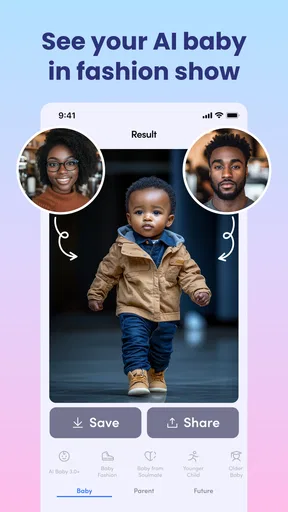
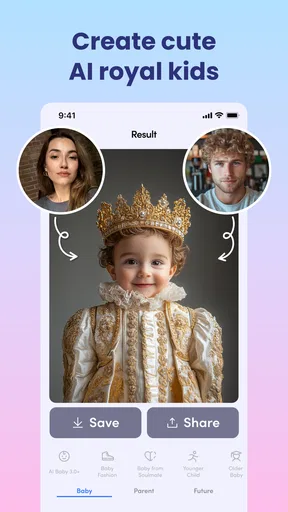
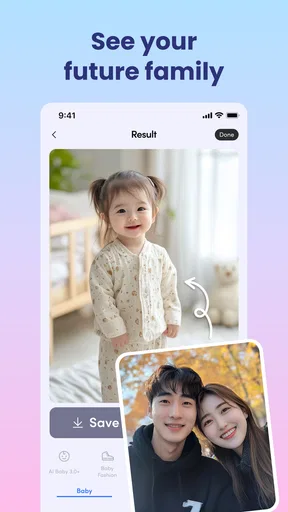
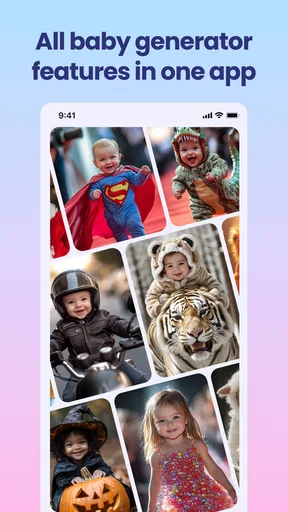
 Analysis by AppCompare
Have you ever wondered what your future baby might look like? Well, I stumbled upon an app that promises to do just that! Say hello to AI Baby Generator: Face Maker. This quirky little app caught my eye, and I couldn’t resist giving it a whirl. Here’s my take on it.
What the free starting point means
I like that I can approach this as a bit of low-stakes curiosity rather than a serious purchase decision. The app is free to download, and its photography focus makes sense: the central idea is to turn two portraits into an imagined child’s face. There are in-app purchases, priced from $0.49 to $49.99 per item, so free access and paid value are not the same thing. I would explore the experience first and decide whether any paid option is worth considering only after I know what I actually want from it.
That price range is broad enough that I would not assume every purchase is a small add-on. Before tapping a purchase button, I’d read the offer shown in the app and check what it covers. If I only want to generate a playful image once or twice, paying may not add much value for me. If I enjoy experimenting and expect to return, a particular option could feel more worthwhile—but that depends on its terms, not on the app’s general premise.
Getting Started
When I first launched the AI Baby Generator: Face Maker, I was greeted by an interface that was both sleek and simple. It’s like the developers knew exactly how to cater to someone who might be using this app out of sheer curiosity. No complicated menus or overwhelming options here—just a straightforward path to baby-making magic.
The app asks you to upload photos of the two potential parents. I think this is where the fun begins. You can either use photos stored on your phone or snap some fresh ones right then and there. I opted for some old selfies and was pleasantly surprised by how quickly the app processed them.
Choosing portraits that give the app a fair chance
One useful way to approach the photo step is to treat it as part of the experiment, not a throwaway upload. I’d pick clear, front-facing portraits with both faces easy to see, then keep the lighting and angle reasonably similar. That gives the generator less visual clutter to work around and makes it easier to judge whether a change in the result came from the photo choice or from another setting.
I’d also avoid using a group picture or a photo with a face partly covered. If I’m comparing results, I’d change one input at a time: use the same first portrait and try a different second one, or keep both portraits and adjust one available customization. This simple comparison makes the play more interesting than generating a pile of images with no idea what caused the differences. It is a practical workflow, not a promise that any particular portrait will produce a more accurate prediction.
Worth Reading Before You Choose

EA SPORTS FC Mobile 26 Is a Bigger Football Game, but It Takes Time

Flipboard Shows What News Apps Must Do Beyond the Feed

Switching to Android Auto Means Rethinking Your Driving Routine

Google Calendar Makes a Crowded Week Easier to Manage

Ludo King Makes the Most of the Minutes Between Plans

Baby Panda World Brings Quick Play to Modern Phones, but Its Game Library Feels Busy
The Magic Behind the Scenes
Now, I’m no tech guru, but I was intrigued by the AI aspect of this app. From what I gathered, the app uses advanced algorithms to merge facial features and predict what a child might look like. It’s fascinating to think about how technology can create something so personal and imaginative.
The processing time was impressively short. Within seconds, I was presented with an image of what my hypothetical child might look like. It was a surreal experience, to say the least!
What the image can—and cannot—tell you
The key is to read the result as an imaginative portrait, not as a biological forecast. A generated face may borrow a visual impression from the source pictures, but it cannot settle questions about what a real child would inherit or look like. I would not use the output to make family-planning decisions, assess resemblance in advance, or treat it as evidence about anyone’s future.
That distinction also helps set expectations when the image looks especially convincing. A polished face can feel personal, but the app is making a visual guess for entertainment. If a result looks unlike either source portrait, I’d try a clearer pair of images before drawing conclusions about the tool. If it still feels off, I’d take that as part of the playful nature of the process rather than keep chasing a supposedly definitive answer.
The Results
So, what did my digital offspring look like? The result was surprisingly realistic and, dare I say, adorable! The app offers a variety of customization options too. Want to tweak the eye color or hair style? No problem. This feature really lets you play around and find the perfect blend of parental traits.
I found myself going back and trying different photo combinations just to see the diverse results. It’s oddly addictive, and I can see why people might spend hours on this app.
A more thoughtful way to compare generations
For a short session, I’d decide on a small question before opening the app: perhaps whether a different pair of portraits changes the overall impression, or whether a customization makes the image feel more playful. Saving a few clearly labeled favorites can make the comparison easier than relying on memory. I would not keep every near-duplicate, though; a handful of distinct results is usually more fun to share and revisit than a crowded collection.
There is a trade-off between tinkering and enjoying the joke. Repeatedly changing settings can turn a lighthearted activity into a search for the “right” face, even though there is no single correct outcome. I’d stop when I have an image that makes me smile rather than spend time trying to force a particular resemblance. That keeps the app useful as entertainment instead of letting its speculative premise carry more weight than it deserves.
Fun Features
One feature I particularly enjoyed was the ability to save and share the images. I couldn’t help but send my "baby’s" photo to a few friends. Their reactions were priceless! The app also allows you to create a gallery of your creations, which is a nice touch if you’re planning to show off your potential future family to others.
Another neat aspect is the app’s user-friendly design. The developers did a great job making sure everything was intuitive, which means more time spent enjoying the app and less time figuring out how it works.
Sharing without making it awkward
Because these images are built from real people’s faces, I’d think about who is in the photos before sharing a result. A funny image can land differently depending on the people involved, so I’d ask before posting or forwarding something based on another person’s portrait. For a private joke between willing participants, sharing can be part of the appeal; for a public post, I’d be more careful about whether everyone would be comfortable with it.
The gallery is most useful to me as a way to keep a few favorites together, not as a reason to save every variation. I’d also remember that a generated picture can be mistaken for a real child’s portrait when it is passed along without context. A quick explanation that it is an AI-made, just-for-fun image avoids confusion and keeps the playful intent clear.
The Bigger Picture
While this app is all fun and games, I couldn’t help but think about its potential uses beyond entertainment. Imagine using it for educational purposes or in creative projects. The possibilities are endless, and it’s exciting to think where this technology might lead.
Of course, it’s important to remember that the app is just a playful simulation. It’s not a crystal ball that predicts the future, but it’s a fun way to imagine the "what ifs" of parenthood.
How it compares with other photography apps
Compared with a general photo editor, this app has a much narrower purpose. A regular editor is the better choice if I want precise control over a portrait, make broad edits, or work on many kinds of images. This generator is more appealing when the specific question is “what might a child of these two people look like?” and I want a quick, shareable answer rather than a full editing toolkit.
It is also different from simply combining two faces by hand in an editor: the attraction is the imagined baby portrait, not detailed control over every pixel. That focus makes the experience easy to understand, but it also limits its usefulness. Someone looking for professional retouching, reliable family resemblance, or a general-purpose photography workflow should choose another tool. I see this as a novelty companion to photo apps, not a replacement for them.
Who is likely to get value from it?
I can see this working best for friends or partners who both want to try a silly “what if” and are comfortable using their portraits for that purpose. It could also suit someone making a lighthearted image for a private conversation or a creative mood board, as long as the result is treated as an illustration rather than a prediction. The app’s Everyone age rating makes its audience broad, but that does not mean every person will enjoy having their face used in a joke; consent and context still matter.
A realistic everyday use might be a couple relaxing at home, choosing two selfies, generating a few versions, and picking one to send to a friend who is in on the joke. I’d keep the session casual and agree first that nobody is expected to take the picture seriously. If one person feels uncomfortable, there is no reason to continue—the app’s entertainment value depends on the people involved enjoying the experiment.
People who want accurate genetic predictions, serious family-planning guidance, or advanced photo editing should skip it. I’d also pass if I had no interest in uploading or choosing portraits for this kind of playful result. In those cases, a standard editor—or simply not using a face generator—is a better fit than paying for options that do not serve the reason I opened the app.
Availability and day-to-day fit
The app is made by Wowoo AI Baby Generator: Face Maker, and it is available free with optional in-app purchases. Its current version is 5.4.22, it was released on May 24, 2022, and it requires OS 11 or later. It has an average rating of 4.4 from around 236,000 ratings, with about 1,200 written reviews and over 10 million installs. Those figures suggest that plenty of people have tried it, but they do not tell me whether a particular result will feel convincing or fun on my own phone.
For me, the practical question is whether I want a brief novelty or a tool I will use regularly. This is a focused experience, so I would not install it expecting a deep photography suite or a dependable prediction engine. If the concept makes me curious, starting with the free access is a sensible way to see whether the image-making and sharing experience suits me; I would leave any purchase decision until I understand the specific offer and know I will use it.
Final Thoughts
Overall, AI Baby Generator: Face Maker is a delightful app that combines technology and imagination in a unique way. Whether you're looking to pass the time, share a laugh with friends, or simply satisfy your curiosity, this app has something for everyone.
So, if you’re in the mood for a little digital daydreaming, why not give it a try? You might just end up with an adorable virtual family to boast about!
Pros
- User-friendly interface for easy navigation.
- Generates realistic baby images quickly.
- Variety of customization options available.
- Supports both Android and iOS platforms.
- Regular updates with new features.
Cons
- Requires internet connection to function.
- Limited free features; in-app purchases needed.
- Occasional ads can interrupt usage.
- Privacy concerns with photo uploads.
- Some users report occasional app crashes.
FAQs for AI Baby Generator: Face Maker
What is AI Baby Generator: Face Maker?
AI Baby Generator: Face Maker is an app designed to predict what a future baby might look like by blending two photos. It uses advanced artificial intelligence algorithms to merge features from both images, providing a fun and engaging way to visualize potential offspring. It's a great app for entertainment and curiosity.
How does AI Baby Generator: Face Maker work?
The app utilizes AI technology to analyze facial features from two uploaded photos. By identifying key facial markers, it merges these features to generate a composite image resembling a potential baby. The process is quick, and the app provides various customization options to enhance the generated image.
Is AI Baby Generator: Face Maker accurate?
While AI Baby Generator: Face Maker uses sophisticated algorithms, the results are intended for entertainment purposes only. The generated images are speculative and not scientifically accurate. Users should enjoy the app as a fun tool rather than a predictive one, as genetic outcomes involve numerous unpredictable factors.
What devices support AI Baby Generator: Face Maker?
The app is available for both Android and iOS devices. It requires a compatible device running a relatively recent version of the respective operating systems to ensure smooth performance. Users should check the app store listings for specific requirements related to their device models and software versions.
Are there any privacy concerns with using AI Baby Generator: Face Maker?
The app requires users to upload photos, which can raise privacy concerns. However, reputable apps typically include privacy policies detailing data usage and protection measures. Users should review these policies to ensure their data is handled securely. It's advisable to use photos with consent and avoid sharing sensitive information.


